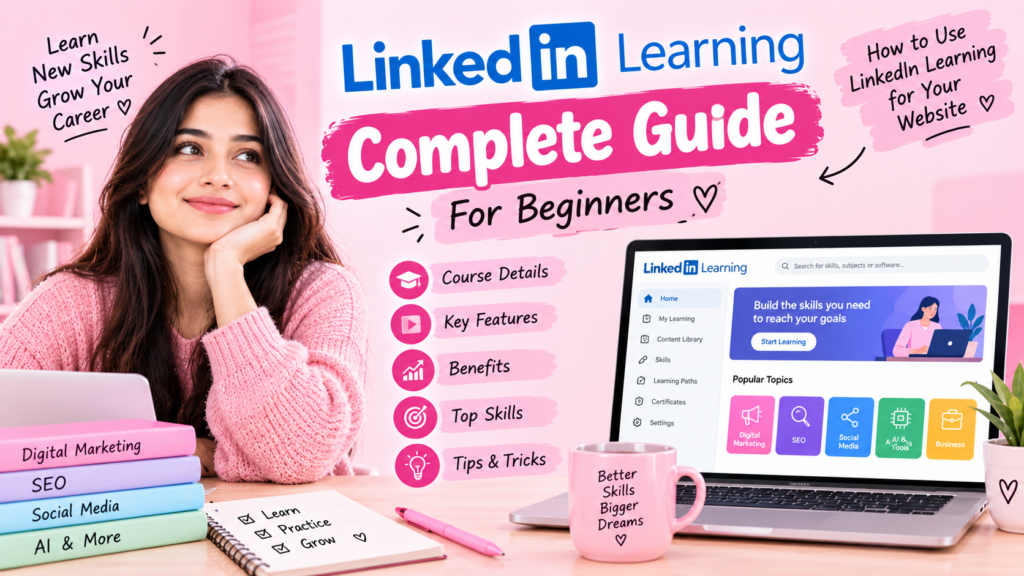
Exploring the best LinkedIn Learning courses is one of the most effective ways to master professional, in-demand career skills. As an established online education platform, LinkedIn Learning provides structured paths across business, technology, creative arts, marketing, SEO, AI, and professional development. The platform currently lists 26,000+ courses, content from 3,900+ industry experts, and high-quality learning resources in multiple languages.
LinkedIn Learning: Complete Guide for Beginners and How to Use It for Your Website
LinkedIn Learning is an online learning platform focused on professional and career-related skills. It offers courses and learning paths across areas such as business, technology, creative skills, marketing, SEO, AI, communication, and professional development. The platform currently lists 26,000+ courses, content from 3,900+ industry experts and thought leaders, and learning resources in multiple languages.
If you are building a website around digital marketing and beginner learning, LinkedIn Learning can also be useful as a source of topic inspiration. LinkedIn Learning currently has dedicated learning paths covering digital marketing, SEO, social media marketing, content marketing, and related skills.
1. What Is LinkedIn Learning?
LinkedIn Learning is a professional online education platform where learners can study skills through structured courses and learning paths.
Unlike a traditional classroom, learners can access lessons online and learn according to their own schedule. The platform includes long-form courses as well as shorter learning formats such as Nano Tips, and it also provides quizzes and exercise files for hands-on practice.
The platform covers three broad areas:
- Business
- Technology
- Creative
Within these areas, learners can find topics such as:
- Digital marketing
- SEO
- Social media marketing
- Content marketing
- AI
- Data analysis
- Communication
- Leadership
- Project management
- Graphic design
- Web development
- Career development
2
LinkedIn Learning: Complete Guide for Beginners and How to Use It for Your Website
Exploring the best LinkedIn Learning courses is one of the most practical ways to master modern, in-demand digital skills. As a leading online education platform, LinkedIn Learning provides structured paths across business, technology, creative fields, marketing, SEO, AI, and career development. The platform currently lists over 26,000 courses, content from 3,900+ industry experts, and resources in multiple languages.
If you run a website covering digital marketing and foundational education, popular LinkedIn Learning courses can also serve as an editorial blueprint for high-intent topics.
1. What Is LinkedIn Learning?
LinkedIn Learning is a professional online education platform where learners study skills through structured modules and guided paths.
Unlike a traditional classroom, learners access video lessons on their own schedule. The platform includes long-form content, shorter formats like Nano Tips, quizzes, and exercise files for hands-on practice.
The catalog covers three broad areas:
-
Business
-
Technology
-
Creative
Within these tracks, learners find topics like digital marketing, SEO, social media marketing, content creation, AI, data analysis, project management, and career development.
2. How to Learn with LinkedIn Learning Courses
The learning process is straightforward:
Choose a topic → Find a course → Watch lessons → Practice → Complete the course → Apply the skills to real projects
You can search for a single skill or explore curated paths mapped to specific career goals. For example, a beginner can start with marketing fundamentals and progress into SEO, social media, analytics, and content marketing. The catalog features Role Guides and more than 1,300 curated pathways.
3. Best LinkedIn Learning Courses for Digital Marketing
The platform provides extensive coverage across the marketing landscape.
The current Explore a Career as a Marketing Specialist learning path includes five core LinkedIn Learning courses covering marketing foundations, digital marketing fundamentals, social media marketing, SEO, and content marketing.
Key competencies taught in these tracks include:
-
Marketing fundamentals
-
SEO & keyword research
-
Content marketing
-
Social media marketing
-
Digital advertising & PPC
-
Analytics & reporting
-
Email marketing
-
AI-assisted marketing workflows
For a digital marketing site, each of these core areas can become a standalone content category.
4. Top LinkedIn Learning Courses for SEO
SEO remains one of the most viewed categories on the platform.
The Develop Your SEO Skills pathway features six dedicated LinkedIn Learning courses offering roughly seven hours of structured material covering:
-
Core SEO principles
-
Keyword research & search intent
-
Content optimization
-
Link building tactics
-
Technical and on-page optimization
-
SEO analysis & reporting
This framework highlights foundational topics your website should address:
-
What Is SEO?
-
SEO for Beginners
-
Keyword Research Guide
-
On-Page SEO Checklist
-
Off-Page SEO & Backlinks
-
Technical SEO Essentials
-
Google Search Console Walkthrough
-
Internal Linking Best Practices
5. Discovering AI Marketing Concepts through LinkedIn Learning Courses
Generative AI is transforming workflow efficiency across every industry.
The platform provides practical LinkedIn Learning courses on AI for Personal Productivity, Prompt Engineering, Responsible AI and Ethics, AI Literacy, and AI-Assisted Media Creation.
For your website’s AI section, relevant topics include:
-
AI Marketing Tools for Beginners
-
AI Tools for Content Creation
-
AI Tools for Keyword Research & SEO
-
How AI Is Changing Digital Marketing
-
Crafting Effective AI Prompts for Marketers
-
Balancing AI Efficiency with Content Quality
6. Social Media Marketing Modules
Social media remains an essential acquisition channel.
The marketing catalog features several LinkedIn Learning courses focusing on platform-specific tactics, cross-channel planning, and content distribution:
-
Social Media Marketing for Beginners
-
Instagram Strategy
-
LinkedIn Personal Branding & Growth
-
Building a Cohesive Content Calendar
-
Social Media Analytics & Conversion Tracking
-
Paid Social Media Advertising
7. Content Marketing & Strategy Paths
Content marketing focuses on producing educational material that earns organic attention and builds topical authority.
Key formats explored across creative tracks include:
-
Blog writing and long-form tutorials
-
Video marketing
-
Infographics and visual summaries
-
Case studies and teardowns
-
Email newsletters
You can translate these lessons into articles such as Content Marketing Strategy for Beginners, How to Write Search-Friendly Blog Posts, and Structuring an Editorial Calendar.
8. How to Use LinkedIn Learning Courses for Your Website Strategy
Do not duplicate course transcripts. Instead, review relevant LinkedIn Learning courses to assess what industry leaders emphasize, then produce your own original explanations, case studies, and step-by-step guides.
For an On-Page SEO guide, for example, build a original resource explaining:
-
Search intent and page context
-
Title and meta description formulas
-
Heading structure (H1, H2, H3)
-
URL slug formatting
-
Image alt text optimization
-
Internal linking architecture
9. Build Topic Clusters
Cluster related articles around a pillar page to build domain authority:
-
Pillar: Complete Digital Marketing Guide
-
Cluster Pages:
-
SEO Fundamentals
-
Social Media Marketing Guide
-
Content Marketing Framework
-
Beginner PPC & Search Ads
-
AI Tools for Marketers
-
Connecting these articles with intentional internal links makes your content easy to navigate for users and crawlers alike.
10. Recommended Category Architecture
-
Category 1: Digital Marketing (Core fundamentals, strategy, channel selection)
-
Category 2: SEO (On-page, technical, keyword research, Search Console)
-
Category 3: AI Marketing (AI writing, workflow automation, SEO tooling)
-
Category 4: Social Media (Organic growth, LinkedIn, platform guides)
-
Category 5: Advertising (PPC basics, Google Ads, campaign setup)
-
Category 6: Beginner Guides (Introductory checklists and resource roundups)
11. How to Create a Beginner-Friendly Article
Use a simple structure:
Introduction
Explain what the topic means.
What Is It?
Give a simple definition.
Why Is It Important?
Explain the benefits.
How Does It Work?
Break the process into steps.
Examples
Give practical examples.
Common Mistakes
Explain what beginners should avoid.
Tools
Mention relevant tools where appropriate.
Beginner Checklist
Give readers something they can actually use.
Conclusion
Summarize the key points.
This format works particularly well for educational websites because readers can quickly find the information they need.
12. How to Improve Your Website Using What You Learn
Don’t make your website only a collection of definitions.
Turn learning into practical content.
For example, instead of publishing:
“What is SEO?”
you can create:
“SEO for Beginners: Step-by-Step Guide to Optimizing Your First Website.”
Instead of only:
“What is Email Marketing?”
create:
“Email Marketing for Beginners: How to Create Your First Email Campaign.”
The second approach gives readers a clearer reason to read the article because it connects the concept with an action.
13. Create Practical Examples
Examples make educational content easier to understand.
For example:
Beginner SEO Example
Suppose your article is:
AI Marketing Tools for Beginners
You could explain:
Primary keyword: AI marketing tools
SEO title: AI Marketing Tools for Beginners: Complete Guide
URL: /ai-marketing-tools
Meta description: A concise description explaining what the article covers.
Then explain how the page could be optimized.
This turns a theoretical SEO lesson into a practical example.
14. Use LinkedIn Learning as a Topic Research Source
LinkedIn Learning can help you identify broad professional skills that people are learning.
Its current marketing learning paths include subjects such as digital marketing, social media, SEO, analytics, and content strategy.
You can take those broad subjects and create narrower beginner-focused topics.
Example:
Broad subject: SEO
↓
Your articles:
- SEO Basics
- Keyword Research
- On-Page SEO
- Technical SEO
- Image SEO
- Internal Linking
- Google Search Console
This gives you multiple related articles instead of relying on a single broad post.
15. LinkedIn Learning vs Your Website
LinkedIn Learning is primarily a learning platform.
Your website can have a different purpose.
| LinkedIn Learning | Your Website |
|---|---|
| Structured courses | Blog articles and guides |
| Professional instructors | Your explanations and resources |
| Learning paths | Topic clusters |
| Video-based learning | Articles, images and guides |
| Quizzes and exercises | Checklists and examples |
| Professional skills | Beginner-friendly education |
You don’t need to compete directly with a large learning platform. Your website can focus on a specific audience and make difficult concepts easier for beginners.
16. How to Grow Your Website
A simple growth system is:
Research → Write → Optimize → Publish → Promote → Measure → Improve
Step 1: Research
Use keyword research tools to understand what people search for.
Step 2: Write
Create useful, original content.
Step 3: Optimize
Use:
- SEO title
- Meta description
- URL
- Headings
- Internal links
- Image optimization
Step 4: Publish
Make sure your website is technically accessible and your important pages can be discovered.
Step 5: Promote
Share useful articles through appropriate social channels and communities where your audience is active.
Step 6: Measure
Use Google Search Console and analytics tools to understand performance.
Step 7: Improve
Update articles based on actual user needs and search performance.
17. Build Trust
Your website should clearly explain:
- Who you are
- What the website is about
- How readers can contact you
- Who creates the content
- Where important information comes from
Consider creating:
About Us
Contact Us
Privacy Policy
Terms & Conditions
Disclaimer
You can also include author information and credible sources when appropriate.
18. Monetization Ideas
Once your website develops a useful audience, there are several legitimate ways a website can potentially generate revenue.
Display advertising
Ads can generate revenue based on traffic and other factors.
Affiliate marketing
You can earn commissions when readers purchase qualifying products or services through your affiliate links, subject to the relevant program’s terms.
Digital products
Examples:
- SEO checklist
- Content calendar
- Beginner guide
- Templates
- E-books
Services
If you develop suitable skills, you could eventually offer services such as:
- Content writing
- SEO support
- Social media management
- Website content optimization
Don’t make income claims without evidence; website revenue varies substantially depending on audience, traffic, niche, geography, and monetization method.
19. 30-Day Website Learning Plan
Week 1 — Fundamentals
Learn:
- Digital marketing
- SEO
- Keywords
- Search intent
- Content marketing
Create 2–3 articles.
Week 2 — SEO
Learn:
- On-Page SEO
- Technical SEO basics
- Internal linking
- Image SEO
- Google Search Console
Create 2–3 articles.
Week 3 — Marketing Channels
Learn:
- Social media marketing
- Email marketing
- Google Ads
- Content marketing
Create 2–3 articles.
Week 4 — AI + Optimization
Learn:
- AI marketing tools
- AI content workflows
- SEO tools
- Analytics
Then review your existing articles and improve them.
20. Best Content Structure for Vaishnavikashyap.com
A practical structure could be:
Home
→ Digital Marketing
→ SEO
→ AI Marketing
→ Social Media Marketing
→ Email Marketing
→ Google Ads
→ Beginner Guides
→ About
→ Contact
This gives your visitors a clear way to navigate your website.
21. Your First 20 Blog Topics
Here is a practical content plan:
- What Is Digital Marketing?
- Digital Marketing for Beginners
- SEO for Beginners
- What Is On-Page SEO?
- On-Page SEO Checklist
- What Is Off-Page SEO?
- Technical SEO for Beginners
- Keyword Research for Beginners
- Google Search Console: Complete Guide
- What Is Content Marketing?
- Content Marketing Strategy
- Email Marketing for Beginners
- Social Media Marketing for Beginners
- Instagram Marketing Guide
- LinkedIn Marketing for Beginners
- Google Ads for Beginners
- AI Marketing Tools for Beginners
- AI Tools for SEO
- Digital Marketing Tools
- Digital Marketing Trends