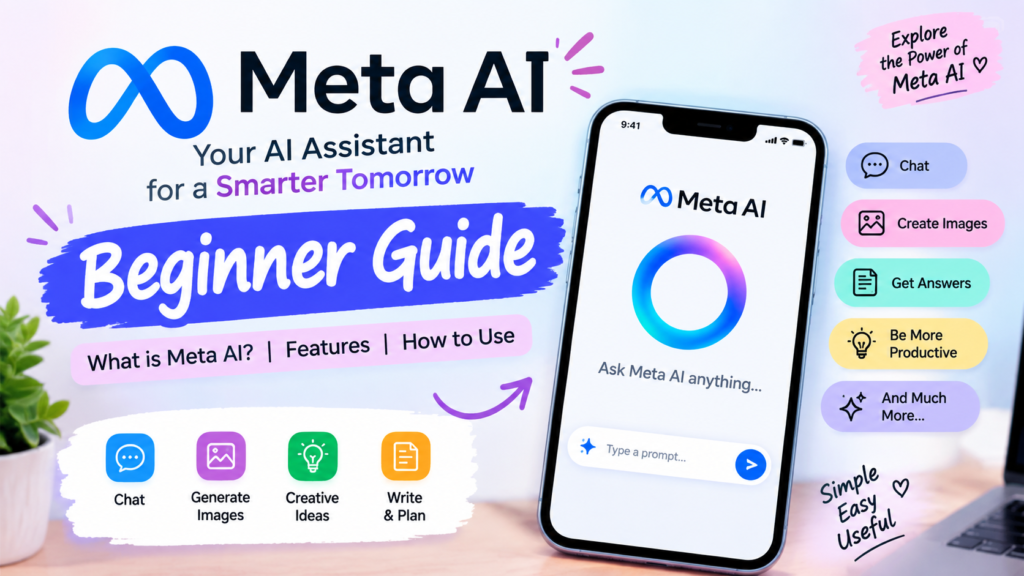
Meta AI WhatsApp has become an increasingly useful way to access artificial intelligence directly inside a messaging environment. Instead of opening a separate AI application every time you want an idea, explanation, writing suggestion, or creative help, Meta AI can be accessed through WhatsApp where the feature is available.
Meta introduced its AI assistant across several of its platforms, including WhatsApp, Messenger, Instagram, and Facebook. In India, Meta AI began rolling out through WhatsApp and other Meta applications in 2024. Meta describes the assistant as a tool that can help people learn, create, get information, and accomplish everyday tasks.
For beginners, meta ai whatsapp is particularly interesting because it brings AI assistance into an application many people already use every day. You don’t necessarily need advanced technical knowledge to start exploring AI.
However, AI should not automatically be treated as a perfect source of information. AI-generated responses can sometimes be inaccurate, incomplete, or inappropriate. WhatsApp’s own help information recommends understanding that AI conversations are different from conversations with friends and family.
This guide explains what it is, how it works, what you can do with it, its advantages and disadvantages, privacy considerations, useful prompts, and important things beginners should know in 2026.
What Is Meta AI WhatsApp?
Meta AI WhatsApp refers to Meta’s AI assistant and AI experiences available within WhatsApp. Depending on the version, account, country, device, and rollout, users may see an AI option that allows them to interact with Meta AI.
Meta AI is powered by Meta’s AI technology and has evolved considerably since its initial introduction. Meta originally announced its conversational AI for WhatsApp, Messenger, and Instagram in 2023 and later expanded the experience internationally.
The important idea is simple: WhatsApp becomes more than a messaging application when AI features are available. Users can potentially ask questions, brainstorm ideas, request writing assistance, explore information, and use creative AI features without leaving the application.
For example, someone might ask an AI assistant for:
- Ideas for a presentation
- A simple explanation of a difficult topic
- A professional message
- Blog topic ideas
- A travel-planning starting point
- Creative captions
- Brainstorming ideas
- Image-generation or editing assistance where supported
- Suggestions for organizing information
Meta has also continued adding AI-related capabilities to WhatsApp. In March 2026, Meta announced AI photo touch-up features and AI Writing Help that can suggest responses based on conversations.
How Meta AI WhatsApp Works
The basic concept behind meta ai whatsapp is conversational interaction.
Instead of using complicated commands or programming, you communicate with the AI using ordinary language. You can type a question or request, and the system generates a response based on your prompt.
A good AI interaction generally follows three steps:
1. Give a clear prompt
Tell the AI exactly what you want.
For example:
Explain digital marketing to a complete beginner in simple language.
2. Add context
If your first request is too general, provide additional information.
For example:
Explain digital marketing in 200 words for a college presentation.
3. Review the answer
Don’t automatically assume that every AI-generated answer is correct. Check important facts, dates, numbers, recommendations, and other information before using it.
This is especially important because WhatsApp’s Help Center states that some messages generated by AI may not be accurate or appropriate.
How to Access Meta AI on WhatsApp
The exact interface can vary because Meta rolls out features gradually and availability can depend on region and account.
If the AI feature is available on your WhatsApp, you may notice an AI-related option or Meta AI chat interface within the application.
A general approach is:
- Open WhatsApp.
- Make sure WhatsApp is updated to the latest available version.
- Look for the Meta AI option or AI icon.
- Open the AI conversation.
- Type your question or request.
- Read the response.
- Ask a follow-up question if you need clarification.
In supported group conversations, Meta has also described ways of invoking Meta AI using an AI mention. Meta’s privacy information says that when Meta AI is used in a group conversation, it only receives messages that invoke the AI rather than automatically reading the entire group conversation.
If you don’t see the feature, it does not necessarily mean you are doing something wrong. AI features can be rolled out progressively and may not be available to every account at the same time.
15 Powerful Uses of Meta AI WhatsApp
One of the biggest reasons people are interested in meta ai whatsapp is the variety of everyday tasks that AI can help with.
1. Get Simple Explanations
You can ask Meta AI to explain complicated subjects using beginner-friendly language.
For example:
Explain SEO as if I am completely new to digital marketing.
You can then ask:
Give me five examples.
This makes conversational AI useful for learning and brainstorming.
2. Generate Content Ideas
Bloggers, students, creators, and beginners can use AI for brainstorming.
You could ask for:
- Blog topics
- Instagram content ideas
- Presentation topics
- Video concepts
- Headline ideas
- Newsletter ideas
- Marketing campaign concepts
AI should be viewed as a brainstorming assistant rather than a replacement for your own judgment and creativity.
3. Improve Messages
Writing a professional message can sometimes be difficult.
You could ask AI to turn a casual sentence into a polite professional message.
For example:
Make this message polite and professional: I can’t attend today’s meeting.
The generated version can then be reviewed and edited before sending.
4. Create Study Material
Students can use AI to organize learning material.
For example, you can ask:
Explain photosynthesis in simple language.
Then:
Give me five key points.
And finally:
Create ten practice questions.
This type of conversational learning can help beginners understand a topic step by step.
5. Brainstorm Marketing Ideas
For digital marketing beginners, AI can help generate ideas for:
- Social media campaigns
- Content calendars
- Blog topics
- Audience personas
- Email subject lines
- Advertising concepts
- SEO content ideas
However, marketing information should still be verified and adapted to the actual audience.
6. Create Captions
Creators can ask for different caption styles.
For example:
Give me five short Instagram captions for a digital marketing post.
You can then request a different style:
Make them more professional.
The ability to refine a response through follow-up prompts is one of the most useful aspects of conversational AI.
7. Brainstorm Names
If you’re creating a website, campaign, product, project, or social-media series, AI can help generate naming ideas.
For better results, provide your audience, topic, tone, and purpose.
8. Generate Creative Ideas
Meta’s AI ecosystem has included creative capabilities such as image generation and AI-powered editing. Meta has also introduced tools for editing photos directly in WhatsApp, including options to remove distractions, change backgrounds, or apply styles where the feature is available.
9. Plan a Trip
Meta has demonstrated examples of using its AI assistant for travel planning, including finding ideas for places to visit and activities to consider.
For real-world travel decisions, always verify current prices, schedules, opening hours, and other changing information separately.
10. Organize Ideas
You can use AI as a brainstorming partner when you have lots of scattered ideas.
For example:
Organize these five ideas into three categories.
This can save time when you’re planning a project or article.
11. Draft Emails
You can ask AI to create a first draft of an email.
For example:
Write a polite email asking for an extension on my project deadline.
Always review the final wording before sending it.
12. Rewrite Text
AI can help change the style of writing.
You can ask it to make text:
- Shorter
- More professional
- Friendlier
- Easier to understand
- More formal
- More conversational
13. Generate Questions
If you’re preparing for a presentation or learning a topic, you can ask AI to generate questions that help you practice.
14. Create a Content Plan
A beginner blogger can ask AI to organize a broad topic into smaller article ideas.
For example:
Create 20 beginner-friendly blog topics about digital marketing.
You can then select the strongest ideas and research them further.
15. Get Everyday Assistance
The simplest use may be asking AI for quick ideas when you’re stuck.
For example:
Give me three easy ideas for what I can write about today.
This can turn AI into a brainstorming companion for everyday tasks.
Meta AI WhatsApp for Students and Beginners
Meta AI WhatsApp can be particularly useful for beginners who are learning how artificial intelligence works.
A student might use conversational AI to understand a concept, create a study outline, brainstorm presentation ideas, or simplify complicated terminology.
However, students should use AI as a learning aid rather than simply copying AI-generated answers.
A better approach is:
Learn → Understand → Check → Rewrite → Create
For example, instead of asking:
Give me my entire assignment.
A better prompt is:
Explain the topic in simple language and give me five important points that I can study.
This approach encourages understanding and makes the AI output more useful.
Meta AI WhatsApp and Privacy: What Should You Know?
Privacy is one of the most important topics when discussing meta ai whatsapp.
WhatsApp explains that personal messages and calls remain protected by end-to-end encryption. However, when you intentionally interact with Meta AI, the information you send to the AI can be processed to provide responses and may be used to improve Meta’s AI systems.
That means you should distinguish between:
Your personal WhatsApp conversation
and
Information you intentionally send to an AI feature.
WhatsApp says personal messages remain end-to-end encrypted and Meta AI only receives information shared with it.
As a basic privacy rule, avoid entering information that you would not want an AI service to process.
For example, don’t casually share:
- Passwords
- Banking information
- One-time passwords
- Private documents
- Highly sensitive personal information
- Confidential business information
AI can be useful without requiring you to reveal unnecessary personal information.
A New Privacy-Focused Development: Incognito Chat
Meta announced Incognito Chat with Meta AI in May 2026. Meta says these conversations are designed to be private, processed in a secure environment, and disappear by default. The company describes the feature as part of its Private Processing technology.
This development is important because privacy is becoming a major consideration as people increasingly interact with AI.
However, users should always check the availability and terms of any privacy feature on their particular account before relying on it.
Privacy technology can change over time, so the safest practice is to understand what information you’re sharing and why.
Meta AI WhatsApp: Advantages and Benefits
There are several reasons meta ai whatsapp can be useful.
Easy Accessibility
The biggest advantage is convenience. If AI is available inside an application you already use, you don’t necessarily have to switch between multiple applications.
Beginner-Friendly Interaction
You can communicate using normal language instead of learning complicated commands.
Fast Brainstorming
AI can generate multiple ideas quickly, making it useful when you are experiencing writer’s block.
Creative Assistance
AI can support content creation, image ideas, writing, and brainstorming depending on the features available.
Learning Support
Students and beginners can ask follow-up questions until they understand a concept.
Writing Assistance
AI can help improve clarity, structure, tone, and wording.
Everyday Productivity
Simple planning and organization tasks can become easier when AI is used appropriately.
Meta AI WhatsApp: Common Problems and Limitations
Although AI can be powerful, meta ai whatsapp is not perfect.
1. AI Can Make Mistakes
AI-generated information may sometimes be incorrect. WhatsApp explicitly warns that AI-generated messages may not always be accurate or appropriate.
Therefore, important information should be independently verified.
2. Feature Availability Can Vary
Not every AI feature is necessarily available to every WhatsApp user.
Meta frequently rolls out features gradually.
3. AI Doesn’t Understand Everything Perfectly
AI can misunderstand ambiguous questions.
For example:
Tell me about Apple.
This could refer to the company, the fruit, the technology ecosystem, or something else.
A clearer prompt produces a better starting point:
Explain Apple Inc. from a digital marketing perspective.
4. Privacy Requires Attention
Users need to understand the difference between ordinary private chats and information intentionally shared with AI.
5. AI Shouldn’t Replace Human Judgment
AI can provide suggestions, but humans remain responsible for important decisions.
Meta AI WhatsApp vs Traditional Search
Another interesting question is whether meta ai whatsapp can replace Google or other search engines.
The answer is: not completely.
AI and search engines serve somewhat different purposes.
Traditional search is useful when you want to:
- Find specific websites
- Compare multiple sources
- Check official information
- Find current products
- Read original documents
Conversational AI is useful when you want to:
- Brainstorm
- Simplify a topic
- Rewrite text
- Organize information
- Generate ideas
- Continue a conversation
The best approach is often to combine both.
Use AI for understanding and brainstorming, then verify important information using authoritative sources.
Best Meta AI WhatsApp Prompts for Beginners
Good prompts can make a major difference.
Here are some useful examples.
For Learning
Explain SEO in very simple language with five examples.
For Writing
Rewrite this paragraph in professional English.
For Blogging
Give me 15 beginner-friendly blog topics about digital marketing.
For Social Media
Give me 10 short social media content ideas for a beginner digital marketing page.
For Presentations
Create a simple presentation outline about artificial intelligence in marketing.
For Brainstorming
Give me 20 creative ideas for a beginner-friendly website.
For Summarizing
Summarize this information into five easy-to-understand points.
For Improving Ideas
Here are my five ideas. Organize them into categories and suggest which ones should be prioritized.
The more specific your instructions are, the easier it becomes for AI to understand the desired outcome.
How to Write Better Prompts
If you want better results from meta ai whatsapp, use a simple prompt structure:
Role + Task + Context + Format + Audience
For example:
Act as a beginner-friendly digital marketing teacher. Explain email marketing for someone with no previous knowledge. Use simple English and give five practical examples.
This prompt is much more specific than:
Tell me about email marketing.
You can also ask AI to improve its own response.
For example:
Make the explanation shorter.
Then:
Convert it into bullet points.
Then:
Give me an example for each point.
This creates a conversational workflow rather than treating AI as a one-time search box.
Meta AI WhatsApp for Digital Marketing
For digital marketing beginners, meta ai whatsapp can become a useful brainstorming tool.
You can use it to explore topics such as:
- SEO
- Social media marketing
- Content marketing
- Email marketing
- Influencer marketing
- Google Ads
- AI marketing
- Affiliate marketing
- Personal branding
- Blogging
For example, if you’re creating a blog, you could ask:
Give me 20 content ideas for a beginner digital marketing website.
After receiving ideas, you can ask:
Group these ideas into SEO, social media, content marketing, and AI marketing.
Then:
Turn the SEO category into a four-week content plan.
This demonstrates one of the strongest advantages of conversational AI: you can continuously refine an idea instead of starting from scratch.
Meta AI WhatsApp and Content Creation
Content creators can use meta ai whatsapp as an idea-generation assistant.
For example, a creator could start with:
I want to create educational content about AI for beginners.
Then ask:
Give me 10 Reel ideas.
Then:
Give me a hook for each idea.
Then:
Make the hooks short and easy to understand.
Finally:
Give me a simple structure for Reel number 3.
The creator still needs to check facts, add their own perspective, and produce original content.
AI-generated suggestions should be treated as starting material rather than automatically publishable content.
Meta AI WhatsApp for Small Businesses
Small businesses may also find conversational AI useful for brainstorming marketing materials.
For example, a small clothing business could ask for:
- Product description ideas
- Social media captions
- Customer-service message drafts
- Festival campaign ideas
- Content-calendar suggestions
- Promotional headline ideas
A business owner could ask:
Give me 15 Instagram content ideas for a women’s clothing brand targeting young adults.
The response could then be refined based on the brand’s actual products, audience, budget, and tone.
For business use, confidential customer information should not be unnecessarily entered into AI systems.
Is Meta AI WhatsApp Free?
The availability and terms of Meta AI features can change over time and by region. Meta has historically described Meta AI as available for free across supported products and markets.
However, users should check the current experience available inside their own WhatsApp account because AI products and features can evolve.
Some advanced features may also have different availability depending on the product, country, language, account, or rollout stage.
Future of Meta AI WhatsApp
The future of meta ai whatsapp is likely to involve more personalized and useful AI experiences.
Meta has already experimented with personalization and memory in AI conversations. In 2025, Meta described a feature that allowed Meta AI to remember certain information users shared in one-to-one conversations in supported markets.
In 2026, Meta also introduced new AI experiences and continued expanding AI capabilities across its products.
WhatsApp itself has also been adding AI-powered features such as photo touch-ups and writing assistance.
This suggests that AI is becoming increasingly integrated into everyday communication.
The future may involve AI helping users with more complex tasks while still keeping people in control of their conversations and decisions.
Important Safety Tips for Using AI on WhatsApp
Before using meta ai whatsapp, keep these practical tips in mind:
Don’t Share Passwords
Never give passwords or one-time authentication codes to an AI assistant.
Don’t Share Sensitive Financial Information
Avoid entering bank account details, card information, or other highly sensitive financial data.
Verify Important Information
Check medical, financial, legal, academic, and other important information with reliable sources or qualified professionals.
Don’t Assume AI Is Always Correct
AI can sound confident even when an answer is wrong.
Read Before Sending
If AI drafts a message for you, read it carefully before sending it to another person.
Protect Other People’s Information
Don’t upload or share someone else’s private information without appropriate permission.
Use AI as an Assistant
The best approach is to use AI to support your thinking rather than allowing it to make every decision for you.
Frequently Asked Questions About Meta AI WhatsApp
What is Meta AI on WhatsApp?
It is an AI assistant and collection of AI experiences available through WhatsApp in supported markets and accounts. It can help users with questions, brainstorming, writing, creative tasks, and other supported activities.
How do I use Meta AI on WhatsApp?
If the feature is available for your account, open WhatsApp and access the Meta AI option or AI conversation shown in the application. Type your request and continue the conversation with follow-up prompts.
Is Meta AI available to everyone?
Availability can vary by country, account, language, device, and feature rollout. If you don’t see a particular AI feature, it may not yet be available for your account.
Can Meta AI read all my WhatsApp messages?
WhatsApp states that personal messages and calls remain protected by end-to-end encryption. Meta AI receives information that users intentionally share with the AI, rather than automatically receiving all personal messages.
Can Meta AI generate images?
Meta has offered image-generation and creative AI experiences, and WhatsApp has introduced AI-powered creative features. Availability varies by feature and account.
Can I delete Meta AI conversations?
WhatsApp provides controls for managing and deleting chats with Meta AI, including options to delete individual AI chats.
Should I trust every answer from AI?
No. AI can make mistakes. Important information should be checked against reliable and authoritative sources.
Can beginners use Meta AI?
Yes. One of the main advantages of conversational AI is that beginners can interact using ordinary language without needing programming knowledge.
Final Thoughts
Meta AI WhatsApp represents an important step toward making artificial intelligence part of everyday communication. Instead of AI being something that only technical users interact with, conversational assistants can now appear within familiar applications.
For beginners, the most useful approach is to start with simple tasks such as brainstorming, learning, rewriting, organizing ideas, and generating content concepts.
At the same time, users should understand the limitations. AI is not perfect, availability varies, and privacy should always be considered before sharing information.
The smartest way to use AI is not to blindly copy everything it produces. Instead, use it as a tool to learn faster, brainstorm better, organize ideas, and improve your productivity while keeping human judgment at the center.
As Meta continues developing AI across WhatsApp and its other platforms, users can expect the role of AI in everyday communication to continue evolving.
For anyone learning digital marketing, content creation, blogging, or AI tools in 2026, understanding conversational AI is becoming an increasingly useful digital skill.
Quick SEO Checklist for This Article
Focus Keyword: meta ai whatsapp
SEO Title: Meta AI WhatsApp: 15 Powerful Benefits & Problems in 2026
Meta Description: Learn how Meta AI WhatsApp works in 2026, its powerful features, benefits, limitations, privacy considerations, and easy ways beginners can use AI on WhatsApp.
Permalink: meta-ai-whatsapp
Suggested Category: AI Tools / Digital Marketing
Suggested Tags: Meta AI, WhatsApp AI, AI Tools, Artificial Intelligence, Meta AI WhatsApp, AI for Beginners, WhatsApp Features, AI Marketing
Image Alt Text: Meta AI WhatsApp features and AI assistant guide
Suggested Featured Image Text:
Meta AI WhatsApp 2026
15 Powerful Benefits & Common
Pingback: New AI Tools in 2026: The Complete and In-Depth Guide