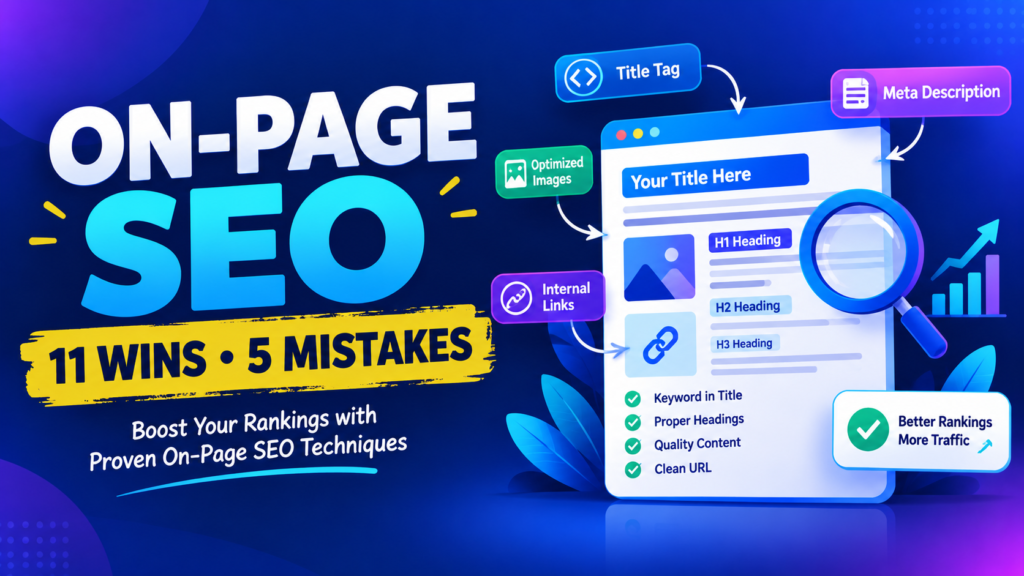
15 Powerful On Page SEO Techniques to Boost Rankings and Avoid Costly Mistakes
Focus Keyword: on page seo techniques
SEO Meta Title: On Page SEO Techniques: 15 Powerful Tips for 2026
SEO Meta Description: Learn 15 powerful on page seo techniques to improve content quality, optimize titles and headings, strengthen internal links, and help search engines understand your website.
Permalink: /on-page-seo-techniques/
Introduction
On page seo techniques are essential for anyone who wants to improve website visibility, attract organic visitors, and create a better experience for readers. If you have a blog but are not receiving traffic from Google, your pages may need better content organization, keyword targeting, internal links, or technical improvements.
Search engine optimization is not just about adding keywords to an article. It involves creating helpful content, making pages easy to understand, improving navigation, optimizing images, and helping search engines discover and interpret your website.
For beginners, learning on page seo techniques is a practical starting point because you can make many improvements directly inside your WordPress dashboard without hiring an SEO agency.
In this guide, you will discover 15 actionable strategies, common mistakes to avoid, and a step-by-step checklist to help you optimize your blog. These methods are useful for new websites, digital marketing blogs, small businesses, affiliate websites, and content creators.
What Are On Page SEO Techniques?
On page seo techniques are methods used to optimize individual website pages so search engines and visitors can understand their content more easily. These methods include optimizing title tags, headings, URLs, body content, images, internal links, and other elements of a webpage.
For example, imagine you publish an article about email marketing for beginners. A clear title, useful explanations, descriptive headings, relevant images, and links to related articles can help readers navigate the page and understand its purpose.
On-page SEO is different from off-page SEO. On-page SEO focuses on elements you control on your website, while off-page SEO includes external signals such as backlinks and brand mentions.
Technical SEO overlaps with on-page optimization. It includes issues such as crawlability, indexing, page performance, and structured data implementation.
The main goal is to make every page useful, accessible, relevant to its intended search, and easy to navigate.
Why On Page SEO Techniques Matter for Beginners
Learning on page seo techniques helps you build a strong foundation before investing money in advertising or expensive SEO tools.
Here are the main benefits:
- Better content relevance: Clear topics and headings help communicate what your page covers.
- Improved user experience: Organized content helps visitors find answers quickly.
- More opportunities for organic traffic: Relevant pages can become eligible to appear for useful search queries.
- Better internal navigation: Links guide visitors toward related resources on your website.
- Improved click-through potential: Relevant, descriptive titles and meta descriptions can encourage searchers to visit your page.
- Easier content maintenance: A consistent optimization process makes updating older posts simpler.
Remember that optimization does not guarantee a particular ranking. Search results also depend on competition, search intent, website quality, and many other factors.
15 Powerful On Page SEO Techniques to Improve Your Website
1. Conduct Keyword Research Before Writing
Keyword research is the first step toward understanding what your audience wants to learn. Before writing a blog post, identify the main topic, related questions, and search terms people use.
For example, someone searching for “on page seo techniques” probably wants practical instructions for improving a webpage. Your article should therefore provide actionable steps instead of discussing SEO only in theory.
Use research tools such as Google Keyword Planner, Google Search Console, and other keyword research platforms to explore relevant terms. Search results and the questions people ask can also help you understand what information readers expect.
Choose one primary focus keyword for each article and use related phrases where they fit naturally. Avoid targeting several unrelated topics in a single post.
Pro tip: Search the target phrase and review the pages that appear. Identify the information they cover, then create a more useful and complete resource without copying their content.
2. Create a Clear and Compelling SEO Title
Your title tag helps search engines and users understand the subject of your page. It can also influence whether someone chooses your result.
A good title should describe the article accurately, include the primary topic naturally, and give readers a reason to click.
For example:
- Weak: SEO Tips
- Better: 15 On Page SEO Techniques for Beginners
- More descriptive: 15 Powerful On Page SEO Techniques to Improve Your Website
Keep titles concise enough to communicate the main idea clearly. Google may generate a different title link in search results, so the title you provide is not guaranteed to appear exactly as written.
Avoid excessive capitalization, repetitive keywords, misleading promises, and clickbait.
Pro tip: Write your title for a real person first. Use numbers or words such as “practical” and “beginner-friendly” only when they accurately describe the content.
3. Write an Engaging Meta Description
A meta description summarizes the page and may appear as the snippet below its title in search results. Google can choose other text from your page instead, depending on the query.
Although a meta description is not a direct ranking factor, a relevant summary can help searchers decide whether the page meets their needs.
For this article, you could use:
“Learn 15 practical on page seo techniques to improve titles, headings, content, images, internal links, and the overall user experience.”
Make the description unique, accurate, and easy to read. Mention the main topic naturally and explain the value readers will receive.
Avoid repeating the same keyword several times or promising guaranteed first-page rankings.
4. Optimize Your URL Structure
A descriptive URL helps visitors understand what a page is about before opening it.
For example:
- Poor:
example.com/?p=123 - Better:
example.com/on-page-seo-techniques/
Use short, readable slugs that describe the article. Separate words with hyphens and avoid unnecessary numbers, dates, or filler words.
If you use WordPress, edit the permalink in the post settings before publishing. If an existing page already receives traffic or backlinks, do not change its URL casually. When a URL change is necessary, set up an appropriate permanent redirect and update relevant internal links.
Simple URLs are easier to share and maintain, although a particular URL format does not guarantee better rankings.
5. Use Headings to Organize Your Content
Headings create a clear structure for readers and help communicate the relationships between topics.
Use one clear main heading for the article, then organize major sections with H2 headings and supporting subsections with H3 headings.
For example:
- H1: On Page SEO Techniques for Beginners
- H2: How On-Page SEO Works
- H2: Essential Optimization Steps
- H3: Optimize Title Tags
- H3: Improve Internal Linking
Include your focus keyword in a relevant heading when it fits naturally. Related terms can help describe the different aspects of your topic.
Do not insert the exact keyword into every heading. Repetitive headings make an article feel unnatural and provide little additional value.
Good headings should tell readers what each section explains and help them scan the article quickly.
6. Write Helpful, Original, Search-Intent-Focused Content
Content quality is central to effective on-page optimization. Your article should answer the questions readers came to solve, provide useful examples, and explain unfamiliar concepts clearly.
Before writing, identify the dominant search intent. Is the reader looking for a definition, a tutorial, a comparison, or a product? Build your content around that need.
For a beginner’s SEO guide, explain each task in simple language and show how to perform it. Add original observations, relevant examples, screenshots when useful, and links to trustworthy sources for claims that need support.
Use on page seo techniques as a framework for improving usefulness and clarity rather than as a checklist of keywords to insert repeatedly.
Avoid copying competitors, publishing shallow content merely to target more keywords, or using AI-generated text without checking its accuracy and value.
Pro tip: After drafting an article, ask whether a beginner could follow your instructions without needing to search for basic explanations elsewhere.
7. Place Your Focus Keyword Naturally
Your primary keyword should appear where it helps readers and search engines understand the topic. Suitable places may include the title, introduction, a relevant heading, the URL slug, and selected body paragraphs.
For example, you can introduce the topic near the beginning and then discuss specific actions such as title optimization, image compression, and internal linking in separate sections.
Do not force the same phrase into every paragraph. Search engines understand related language, and readers benefit from natural writing.
There is no universal keyword-density percentage that guarantees high rankings. A keyword appearing 35 times in an article does not automatically make that article more relevant than a well-written article that uses the phrase fewer times.
If you use Rank Math, treat its keyword suggestions as editing guidance rather than a substitute for good content. Check whether the article sounds natural when read aloud.
8. Add Relevant Internal Links
Internal links connect one page of your website to another. They help readers discover related information and help search engines find pages through your site’s link structure.
Suppose your digital marketing blog has articles about keyword research, Google Search Console, and content marketing. A guide to on-page SEO could link to those resources where they help explain a step in greater detail.
Use descriptive anchor text. For example, “learn how to use Google Search Console” is more informative than “click here.”
Good internal linking can:
- Help visitors explore related topics.
- Make important pages easier to discover.
- Clarify relationships between articles.
- Support a logical site structure.
Avoid adding links that do not help the reader. Regularly check for broken internal links, and ensure important pages are reachable through useful navigation links.
9. Optimize Images and Add Descriptive Alt Text
Images can explain a process, illustrate a concept, or make a long article easier to follow. However, large image files can slow down a page, especially on mobile connections.
Use appropriately sized images and modern formats such as WebP when suitable. Compress files while preserving acceptable visual quality, and avoid uploading unnecessarily large images.
Write descriptive file names, such as on-page-seo-checklist.webp, rather than generic names such as IMG1234.webp.
Add alternative text when an image communicates meaningful information. For example:
“Checklist showing title tag, headings, internal links, and image optimization.”
Alt text should describe the image’s purpose in context. Decorative images can use empty alt text where appropriate. Do not stuff keywords into every image description.
Also ensure important text remains readable and is not included only inside an image.
10. Improve Page Speed and Core Web Vitals
A slow webpage frustrates visitors and can make it harder for them to complete tasks. Performance is therefore an important part of website quality.
Google’s Core Web Vitals measure aspects of loading performance, responsiveness, and visual stability. The main metrics are Largest Contentful Paint (LCP), Interaction to Next Paint (INP), and Cumulative Layout Shift (CLS).
To improve performance:
- Compress and resize images.
- Remove unnecessary plugins and scripts.
- Use reliable hosting.
- Enable caching where appropriate.
- Limit heavy animations and third-party widgets.
- Check mobile performance as well as desktop performance.
Use Google PageSpeed Insights to identify performance problems and prioritize the changes that matter most.
Do not assume that installing a caching plugin automatically solves every issue. Test the website after making changes and check whether the improvements affect the actual page experience.
11. Make Your Website Mobile-Friendly
Many visitors read blogs on smartphones. Your content should therefore work well on small screens as well as desktop computers.
Choose a responsive WordPress theme and test your pages on different screen sizes. Make sure the main text is readable, navigation is easy to use, and buttons have enough space to tap.
Avoid intrusive pop-ups that block the content and make it difficult for visitors to continue reading.
Check that tables, images, forms, and embedded videos fit within the available screen width. Long paragraphs should also be broken into manageable sections.
Mobile usability is not just a design detail. It affects whether visitors can comfortably use the information you publish.
12. Use Descriptive Image Names and Relevant Captions
File names, captions, and surrounding text can help provide context for images. A relevant image should support the subject being discussed rather than serve only as decoration.
For example, an image illustrating an SEO checklist could use a descriptive filename and a caption explaining which optimization steps it covers.
Captions are useful when readers need context or when an image contains a process worth explaining. Do not add captions simply to repeat the same keyword.
Make sure image text remains legible and that diagrams include an accessible text explanation when necessary.
13. Add Structured Data When It Is Appropriate
Structured data is a standardized way to provide search engines with information about a page. It can help search engines interpret details such as articles, products, organizations, and other supported content types.
For a blog post, relevant Article structured data may identify the headline, author, publication date, and image.
Use a reputable WordPress SEO plugin or implement structured data carefully. Ensure the markup matches the visible page content and follows Google’s current guidelines.
Structured data does not guarantee rich results or higher rankings. Incorrect, misleading, or irrelevant markup can cause problems.
Validate your implementation with Google’s Rich Results Test when applicable and monitor indexing reports in Search Console.
14. Improve Content Readability and User Experience
A helpful article should be easy to read, understand, and navigate. Use straightforward language, meaningful headings, short paragraphs, and lists when they improve clarity.
Explain technical terms the first time you use them. For example, define a title tag as the HTML element that specifies a page title rather than assuming every reader already knows the term.
Use tables for comparisons and numbered steps for processes. Include a table of contents when an article is long enough to benefit from one.
Make links easy to identify and ensure the main content is not overwhelmed by advertisements, unnecessary pop-ups, or distracting design elements.
These improvements make your content more accessible and useful. They also help readers find the answer they need without unnecessary effort.
15. Update Existing Content and Monitor Results
Publishing an article is only the beginning. Search trends, tools, website content, and user expectations can change over time.
Review older posts to identify outdated information, broken links, missing explanations, and opportunities to improve clarity. Update dates only when the content has genuinely been reviewed and changed.
Use Google Search Console to review impressions, clicks, click-through rate, indexing status, and queries associated with your pages. Compare performance over an appropriate period instead of reacting to a few days of fluctuations.
If a page receives impressions but few clicks, consider whether its title and description communicate the right value. If visitors arrive through unexpected queries, check whether the content should answer those questions more clearly.
Avoid rewriting a page merely because its ranking changes temporarily. Investigate the data, compare relevant search results, and make changes that improve usefulness.
Common On Page SEO Mistakes to Avoid
Even a well-designed website can struggle when optimization becomes excessive or inconsistent.
Keyword stuffing
Repeating the focus phrase in every paragraph can make your writing unnatural. Use it where it makes sense, and include relevant related terms without forcing them.
Writing only for search engines
An article filled with keywords but lacking useful explanations will not serve readers well. Answer the actual question, provide examples, and make the information easy to follow.
Ignoring search intent
A tutorial should explain how to do something. A comparison article should compare relevant options. Make sure the format of your page matches what the searcher needs.
Using duplicate or misleading titles
Give each important page a descriptive, distinct title. Avoid using the same title across unrelated articles or promising results that the content cannot deliver.
Neglecting internal links
Important articles should be connected to relevant pages where the links help visitors. Review your site’s navigation and fix broken links.
Uploading oversized images
Large images can slow down pages. Resize and compress them before uploading, and use suitable image formats.
Publishing without proofreading
Spelling mistakes, inaccurate information, broken formatting, and confusing instructions reduce trust. Review your article on both mobile and desktop before publishing.
Expecting immediate rankings
Search visibility can take time to develop. Competition, site history, indexing, content quality, and external signals can all affect results. No technique guarantees a particular position.
Step-by-Step On-Page SEO Checklist for WordPress
Use this practical checklist before publishing a blog post.
Step 1: Choose the target keyword. Research the topic and understand the search intent.
Step 2: Prepare the article outline. Create useful headings that answer the reader’s main questions.
Step 3: Write the content. Focus on accuracy, originality, examples, and clear explanations.
Step 4: Optimize the title and meta description. Make them relevant, descriptive, and compelling without misleading readers.
Step 5: Set the URL slug. Use a short, readable permalink.
Step 6: Review the heading structure. Organize the page logically and avoid unnecessary heading repetition.
Step 7: Add internal and external links. Connect relevant pages and cite trustworthy sources when useful.
Step 8: Optimize images. Compress files, use descriptive names, and add appropriate alt text.
Step 9: Check mobile usability and speed. Test the page layout and review performance recommendations.
Step 10: Review technical basics. Confirm the page is accessible, uses the intended canonical URL, and is not accidentally blocked from indexing.
Step 11: Proofread the final draft. Check grammar, factual accuracy, formatting, and links.
Step 12: Publish and monitor. Use Search Console to track how the page performs and make useful improvements over time.
Best Tools for On Page SEO Techniques
You do not need to purchase every SEO tool to get started. A small selection of reliable tools is often enough for a beginner.
Google Search Console: Helps you understand how your website appears in Google Search, which queries bring impressions and clicks, and whether Google reports indexing problems.
Google Keyword Planner: Provides keyword ideas and advertising-related search estimates. Search-volume figures are estimates, not guarantees of organic traffic.
Google PageSpeed Insights: Reports performance information and opportunities to improve the loading experience.
Rank Math SEO: A WordPress plugin that helps manage SEO titles, meta descriptions, sitemaps, and other optimization settings. Its scoring system is a guide, not a Google ranking score.
Google Trends: Helps compare interest in topics over time and explore related search trends.
Google Rich Results Test: Checks eligibility for supported rich results based on the structured data detected on a page.
Start with the free tools, learn how to interpret their results, and upgrade only when a clear need arises.
Frequently Asked Questions
1. What are on page seo techniques?
They are methods for improving individual webpages through useful content, descriptive titles, headings, URLs, internal links, image optimization, and other page-level improvements.
2. How many times should I use my focus keyword?
There is no fixed number that guarantees higher rankings. Use the keyword where it fits naturally and prioritize complete, relevant answers over an arbitrary keyword count.
3. Is on-page SEO important for a new website?
Yes. It helps new websites create clear content, organize their pages, and make information easier for search engines and visitors to understand. Results are not guaranteed and may take time.
4. Can I do on-page SEO without paid tools?
Yes. Beginners can make meaningful improvements with Google Search Console, PageSpeed Insights, Google Trends, and the built-in features of WordPress.
5. Does Rank Math guarantee a first-page ranking?
No. Rank Math can help you check and manage certain SEO elements, but its score does not determine Google’s rankings. Content quality, competition, relevance, technical accessibility, and other signals also matter.
6. What is the difference between on-page SEO and off-page SEO?
On-page SEO focuses on the content and elements of your own webpages. Off-page SEO focuses on external signals, such as relevant backlinks and mentions of your website elsewhere.
7. How long does on-page SEO take to show results?
There is no universal timeline. Results depend on factors such as crawling, indexing, competition, website history, and the changes made. Monitor performance over weeks and months rather than expecting immediate improvements.
8. Should I optimize every blog post?
Prioritize pages that serve a clear audience need, offer useful information, and support your website’s goals. Review older posts regularly and improve them when there is a meaningful opportunity.
Conclusion
On-page SEO is an ongoing process of making your website clearer, more useful, and easier to navigate. The most effective approach combines relevant content, accurate titles, logical headings, helpful internal links, optimized images, good mobile usability, and regular performance monitoring.
Start with one important article and work through the checklist. Once you understand the process, apply it consistently to other pages on your website.
Instead of chasing a perfect SEO score or repeating keywords unnecessarily, focus on helping readers find trustworthy answers. Consistent improvements can build a stronger foundation for long-term organic visibility.