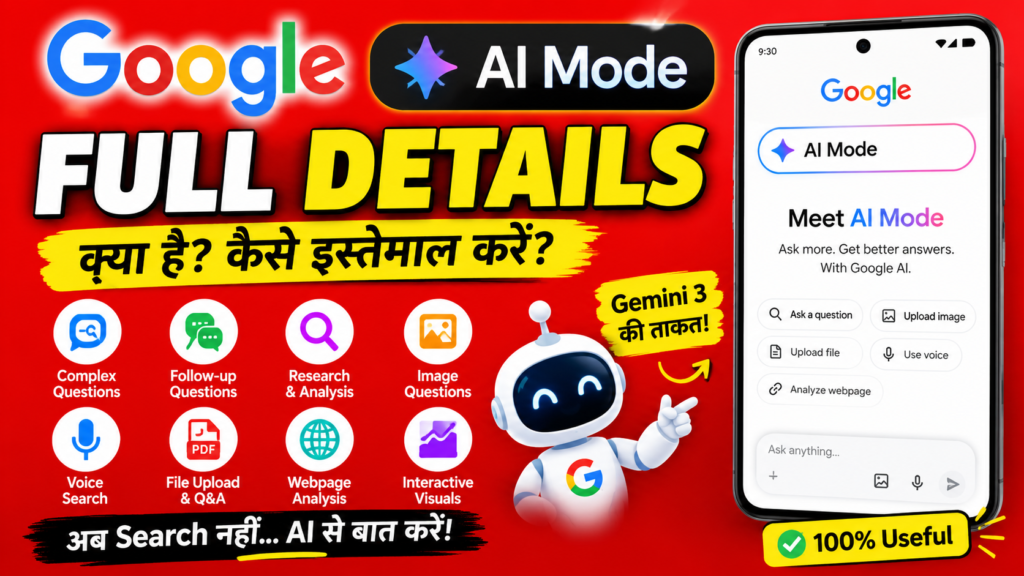
11 Powerful Benefits and Common Problems of Google Search AI Mode
Google search AI mode is changing the way people search for information online. Instead of entering a short keyword and opening several individual pages, users can ask Google longer, more detailed questions and continue the conversation with follow-up questions.
Google introduced AI Mode as a more advanced AI-powered Search experience designed for complex questions, exploration, comparisons, and multimodal searches. Google says AI Mode can use advanced reasoning, follow-up questions, web links, and multiple sources to help users explore a topic more deeply.
For beginners, marketers, students, bloggers, business owners, and website creators, understanding Google search AI mode is becoming increasingly important. Search is moving beyond the traditional model of typing a few keywords, looking through blue links, and opening multiple websites.
In 2026, Google has continued expanding its AI Search experience. Google says AI Mode has surpassed one billion monthly users globally, while AI Mode queries have more than doubled every quarter since launch.
This guide explains what Google search AI mode means, how it works, how to use it, its benefits, limitations, relationship with AI Overviews, and what website owners should understand about the future of SEO.
What Is Google Search AI Mode?
Google search AI mode is an AI-powered search experience inside Google Search that allows people to ask complex questions in a more conversational way.
Traditional Google Search generally works by matching a query with relevant webpages, images, videos, maps, products, and other information. AI Mode adds a conversational layer that can understand a longer question, investigate multiple aspects of the query, and provide an AI-generated response with links to supporting information.
Google describes AI Mode as its most powerful AI Search experience, designed for questions requiring more reasoning and exploration.
For example, instead of searching:
Best laptop for students
a user could ask:
Which laptop would be better for a college student who needs it for presentations, basic video editing, online classes, and everyday browsing, and how do three options compare?
This type of question contains several requirements. AI-powered Search can break a complicated request into different aspects and investigate them together.
That makes Google search AI mode especially useful when a person does not simply want a webpage containing one answer. They want help understanding a topic, comparing information, exploring options, or continuing a research conversation.
How Google Search AI Mode Works
One of the most interesting parts of Google search AI mode is the way it handles complex queries.
Google has explained that AI Mode can use a technique called “query fan-out.” Instead of treating a complicated question as one simple search, the system can break it into related subtopics and conduct multiple searches across those areas.
Imagine someone asks:
What should I know before starting a small online clothing business?
There could be many subtopics behind this question:
- Target audience
- Product selection
- Pricing
- Website creation
- Social media marketing
- Search engine optimization
- Payment options
- Customer service
- Shipping
- Content marketing
- Competitor research
Rather than requiring the user to search every topic separately, Google search AI mode can help bring different parts of the research together.
This is one reason AI Search can feel more conversational than traditional search.
The experience is designed to help users ask follow-up questions instead of starting a completely new search every time.
For example:
- What is email marketing?
- How does it help a small business?
- Which email marketing strategies work for beginners?
- Can you give me a simple example?
- What mistakes should I avoid?
The conversation can continue around the same subject.
Google Search AI Mode vs Traditional Google Search
Google search AI mode does not simply replace traditional Google Search. Instead, it provides another way of interacting with Search.
Traditional Search is still extremely useful when you want to:
- Visit a specific website
- Find a particular product
- Look for current news
- Search for images
- Find a local business
- Navigate to a website
- Compare several webpages yourself
- Find official documentation
- Explore different sources directly
AI Mode can be particularly helpful when the question is:
- Complex
- Multi-step
- Conversational
- Exploratory
- Comparative
- Multimodal
Google says AI Mode is particularly designed for longer, more complex, or nuanced questions that may previously have required multiple searches.
This means the two approaches can work together.
A user may begin with a normal Google search, read an AI-generated overview when available, enter AI Mode for deeper research, and then visit individual websites to verify information.
Google Search AI Mode and AI Overviews: What Is the Difference?
A common beginner question is whether Google search AI mode and AI Overviews are the same thing.
They are related, but they serve somewhat different purposes.
AI Overviews
AI Overviews provide an AI-generated summary within Google Search for certain queries. They can help users understand a topic quickly while also providing links to webpages.
AI Mode
AI Mode is designed as a more conversational and interactive search experience. Users can ask longer questions, ask follow-ups, and explore a subject in greater depth.
Google has increasingly connected AI Overviews and AI Mode into a broader AI Search experience. In 2026, Google described its goal of making it easier to move from a question to an AI Overview and then into AI Mode for deeper exploration.
A simple way to remember the difference is:
AI Overview = quick AI-assisted understanding.
AI Mode = deeper conversational exploration.
Both can help people discover information, but AI Mode is designed to support a longer interaction.
11 Powerful Benefits of Google Search AI Mode
There are many reasons people are interested in Google search AI mode. Here are 11 important benefits.
1. Better for Complex Questions
Traditional searches can become frustrating when a question contains multiple requirements.
AI Mode can help users ask a complete question in natural language rather than dividing it into many small searches.
For example:
Explain how I can create a beginner-friendly digital marketing strategy for a small business with limited budget.
This is much more detailed than simply searching “digital marketing strategy.”
The ability to communicate the complete context makes Google search AI mode useful for research and learning.
2. Conversational Follow-Up Questions
Another important advantage of Google search AI mode is follow-up searching.
Instead of repeating the entire context, users can ask another question based on the previous response.
For example:
What is SEO?
Then:
What is the easiest SEO strategy for a beginner?
Then:
Give me an example for a small blog.
This makes research feel more like a conversation.
3. Helps With Comparisons
Comparison searches can require multiple tabs and many searches.
AI Mode can help organize a comparison around specific requirements.
For example:
Compare three beginner website platforms based on ease of use, SEO features, cost, and customization.
Google introduced AI Mode specifically for complex tasks such as comparisons and exploration.
However, users should still check important facts directly from official websites before making significant decisions.
4. Multimodal Search
Google search AI mode is not limited to typed questions.
Google has developed AI Mode with multimodal capabilities, allowing users to use text, voice, and images in their searches. Google has also described integration with Lens for visual questions.
For example, a user may upload or capture an image and ask what an object is, how something works, or what information can be learned from the image.
This can make search more natural for people who do not know exactly what keywords to type.
5. More Natural Searching
Many people do not know the perfect keywords for a search.
Instead of thinking:
“SEO beginner keyword research”
they can ask:
“How can a complete beginner find useful keywords for a new website without spending a lot of money?”
Natural-language searching can make information discovery easier.
6. Useful for Learning
Students and learners can use Google search AI mode to explore concepts step by step.
For example:
Explain content marketing to me like I am a beginner.
Then:
Give me five examples.
Then:
Explain the difference between content marketing and social media marketing.
This type of learning conversation can help break a large topic into smaller sections.
However, students should use AI Search as a learning tool rather than simply copying answers for assignments.
7. Helpful for Research
Researchers often need to investigate a topic from multiple angles.
AI Mode can help users identify related questions, sources, and areas that require further investigation.
Google has also announced updates designed to make original content and useful webpages easier to discover through AI Search.
This is important because AI Search is not intended to make the web disappear. Google continues to emphasize links and discovery of content across the web.
8. Supports Voice and Visual Inputs
For some searches, typing is not the easiest option.
A person can use voice to describe what they need or use an image as part of the search experience.
Google’s India launch information specifically describes AI Mode as multimodal, supporting text, voice, and image-based questions.
9. Can Save Time
One of the biggest reasons users may prefer Google search AI mode is convenience.
Instead of performing many searches separately, users can ask a broader question and then refine the answer through follow-ups.
This does not mean users should trust every AI response without checking it. It means the initial research process can become more efficient.
10. Useful for Planning
AI Mode can be helpful for planning tasks.
Examples include:
- Planning a learning schedule
- Comparing travel options
- Organizing research
- Understanding a complicated process
- Brainstorming content ideas
- Exploring business ideas
- Comparing product features
Google has specifically highlighted use cases such as trip planning and complex how-to questions.
11. Connects AI With Web Search
The most important benefit may be that AI Mode is integrated into Google Search.
Rather than being only a standalone chatbot, it combines AI capabilities with Google’s search and information systems.
Google has explained that AI Mode can use web information alongside systems such as the Knowledge Graph and other real-time information sources.
Common Problems and Limitations of Google Search AI Mode
Although Google search AI mode has many advantages, it also has limitations.
Understanding these limitations is important for responsible use.
1. AI Responses Can Be Wrong
AI systems can sometimes generate incorrect information.
Google itself has stated that AI Search may not always get things right and continues working on factuality and quality.
Therefore, users should verify important information using reliable sources.
This is especially important for:
- Health information
- Financial decisions
- Legal information
- School or academic work
- Government requirements
- Current policies
- Business decisions
2. Sources Still Need Checking
An AI-generated answer can sound convincing even when a detail needs verification.
When using Google search AI mode, look at the links and sources provided.
Ask yourself:
- Who published this?
- Is the source trustworthy?
- Is the information current?
- Does another reliable source confirm it?
- Is the source an official organization?
AI Search can help you discover information, but critical thinking is still necessary.
3. AI Can Oversimplify Complex Topics
Some subjects cannot be accurately explained in a few paragraphs.
For example, digital marketing, SEO, law, economics, science, and technology can contain many exceptions and changing rules.
A short AI answer can be useful as an introduction, but deeper research may still be necessary.
4. Search Experience Can Change
Google regularly updates its Search products.
Features, interfaces, availability, models, and settings can change over time.
For example, AI Mode began as an experimental experience and has since expanded significantly.
This means tutorials written several years ago may not exactly match the current interface.
5. Not Every Question Needs AI
Sometimes traditional Google Search is faster.
If you want to visit a known website, find a phone number, check a specific webpage, or search for a particular product, traditional Search can be perfectly effective.
The goal is not to use AI for every search.
The goal is to choose the search method that best fits the task.
How to Use Google Search AI Mode Effectively
To get better results from Google search AI mode, write prompts that clearly explain what you need.
Step 1: Start With Your Main Question
Do not worry too much about finding the perfect keyword.
Write your question naturally.
For example:
How can I start learning digital marketing as a complete beginner?
Step 2: Add Context
Context helps clarify what you actually want.
Instead of:
Digital marketing course
try:
I am a complete beginner and want to learn digital marketing. What topics should I learn first?
Step 3: Add Your Requirements
You can specify the format or criteria you want.
For example:
Explain digital marketing in simple language and organize the answer into beginner, intermediate, and advanced topics.
Step 4: Ask Follow-Up Questions
One of the strongest features of Google search AI mode is conversational follow-up.
After receiving an answer, you can ask:
Explain the second point in more detail.
Or:
Give me a practical example.
Or:
What mistakes should beginners avoid?
Step 5: Check Sources
Do not stop at the AI response.
Open relevant links and verify important claims.
Google continues to emphasize connecting users with websites and original content through AI Search.
Google Search AI Mode for Students
Students can use Google search AI mode as a learning assistant.
For example, instead of asking only for an answer, students can ask for an explanation.
A useful learning prompt could be:
Explain photosynthesis in simple language, then give me five important points to remember.
Students can then ask:
Give me an example.
Or:
Explain the difficult part again.
This approach encourages understanding rather than copying.
Google has also introduced AI-related learning tools and described plans for educational experiences in Search.
For schoolwork, students should follow their teacher’s rules regarding AI use.
Google Search AI Mode for Digital Marketing
For digital marketers and bloggers, Google search AI mode is especially important because search behavior is changing.
Marketers traditionally focused on keywords, rankings, backlinks, technical SEO, and search snippets.
Those areas remain important, but AI Search creates additional considerations.
A website should provide:
- Helpful information
- Original insights
- Clear structure
- Accurate information
- Strong topical coverage
- Useful examples
- Good user experience
- Trustworthy sources
- Easy-to-understand writing
Google has announced new tools and controls for website owners as AI Search develops.
This means website owners should not simply create large quantities of generic AI-generated content.
Instead, they should focus on creating content that genuinely helps readers.
Google Search AI Mode and SEO
A major question for bloggers is whether Google search AI mode will change SEO.
The answer is yes, but SEO itself is not disappearing.
The way users discover content is evolving.
Google continues to provide links to websites, and Google has specifically announced features intended to help users discover original content and trusted sources.
For bloggers, this means several SEO principles remain important:
Create Helpful Content
Write for the reader first.
Do not create an article only because a keyword has search volume.
Demonstrate Experience
Add examples, practical explanations, original observations, screenshots where appropriate, and useful information that makes your content more valuable.
Organize Content Clearly
Use:
- H1
- H2
- H3
- Short paragraphs
- Bullet points
- Tables when useful
- FAQs
A clear structure helps readers understand the content.
Keep Information Updated
Technology changes quickly.
An article about AI Search should be reviewed regularly because features and capabilities can change.
Build Topic Authority
Instead of publishing one article about digital marketing and moving to an unrelated subject immediately, create useful clusters.
For example:
- Digital Marketing Beginner Guide
- SEO for Beginners
- Keyword Research
- Content Marketing
- Social Media Marketing
- Email Marketing
- Google Search Console
- AI Marketing Tools
- Google Search AI Mode
This can create a stronger resource library for your audience.
How Website Owners Can Prepare for Google Search AI Mode
Website owners should not panic about AI Search.
Instead, they should focus on producing content that deserves to be discovered.
If AI-powered Search becomes a major way users find information, websites still need to offer something valuable.
Here are practical strategies.
Focus on Originality
Avoid rewriting the same information that already exists everywhere.
Add your own examples, experiences, comparisons, explanations, research, or useful frameworks.
Answer Real Questions
Think about the questions your target audience actually asks.
A beginner might want:
What is SEO?
But they may also want:
How do I start SEO for a new website?
And:
What should I do first?
Answering these connected questions can create more useful content.
Create Topic Depth
One short article may not answer every question.
Create supporting articles and connect them through internal links.
Improve Website Experience
A useful article should also be easy to read.
Pay attention to:
- Mobile responsiveness
- Page speed
- Navigation
- Readability
- Internal links
- Clear headings
- Helpful images
- Accessibility
Maintain Trust
Clearly identify who created the content when appropriate.
Use trustworthy references for factual claims.
Correct mistakes when discovered.
Trust becomes increasingly important as users encounter AI-generated information across the internet.
Google Search AI Mode in India
Google has paid particular attention to AI Search in India.
Google announced AI Mode in India in 2025 and described it as an experience designed to help users ask complex questions, explore topics, and use multimodal inputs.
Google also later announced AI Mode availability in Hindi, expanding the language experience for users.
This is significant because India has a huge and diverse internet audience.
People may search in English, Hindi, and other Indian languages, while also using voice and visual search.
For Indian bloggers and businesses, this creates opportunities to publish genuinely useful content for specific audiences.
For example, a digital marketing website could create beginner-friendly articles explaining:
- SEO in simple English
- SEO in Hindi
- Digital marketing for beginners
- Google Search Console tutorials
- AI marketing tools
- Email marketing
- Social media marketing
- Blogging tips
The important point is quality rather than simply creating many pages.
How to Write Better Queries for Google Search AI Mode
Good questions can produce more useful search experiences.
Instead of writing:
AI marketing
try:
What are the most useful AI marketing applications for a beginner, and how can they improve content creation, SEO, email marketing, and social media?
Instead of:
Google Search Console
try:
How can a beginner use Google Search Console to understand website performance, indexing, and search queries?
Instead of:
Email marketing
try:
Explain email marketing for a beginner and show how a small website can use newsletters to build an audience.
Detailed questions give the system more context about your objective.
Is Google Search AI Mode Good for Beginners?
Yes, Google search AI mode can be especially useful for beginners because beginners often do not know which keywords to use.
Someone learning SEO may not know terms such as:
- Search intent
- Canonical URL
- Crawling
- Indexing
- Structured data
- Internal linking
Instead of searching each term separately, a beginner can ask:
Teach me SEO from the beginning and explain the important concepts in simple language.
Then the learner can continue asking questions.
This creates a more accessible learning process.
However, beginners should develop the habit of checking sources rather than assuming that every AI-generated statement is automatically correct.
Is Google Search AI Mode the Future of Search?
The growth of AI Search suggests that conversational search will remain an important part of Google’s direction.
Google reported that AI Mode had surpassed one billion monthly users globally in 2026, with queries more than doubling every quarter since launch.
Google has also described AI Mode as part of a broader transformation of Search.
However, the future is unlikely to be simply “AI instead of websites.”
Instead, search may increasingly combine:
AI + Web Results + Images + Videos + Maps + Products + Knowledge + Personal Context
Google’s updates emphasize both AI-generated responses and discovery of websites and original content.
For website owners, this means the web can remain important even as the interface changes.
Frequently Asked Questions About Google Search AI Mode
What is Google Search AI Mode?
Google search AI mode is an AI-powered Search experience that allows users to ask complex questions, receive AI-generated responses, explore sources, and continue with follow-up questions.
Is Google Search AI Mode free?
Availability and specific features can vary by country, account, device, and Google’s current product rollout. Google continues to update AI Search features, so users should check Google’s current Search Help documentation for the latest availability.
Can Google Search AI Mode understand images?
Yes. Google has developed multimodal capabilities for AI Mode, including image-based questions through Search and Lens.
Can I ask follow-up questions?
Yes. Follow-up questions are an important part of the conversational AI Search experience.
Is Google Search AI Mode the same as ChatGPT?
No. They are different products and experiences. AI Mode is integrated into Google Search and combines Google’s Search systems with AI capabilities.
Can AI Mode make mistakes?
Yes. AI-generated responses can contain errors, so important information should be checked against reliable sources. Google itself acknowledges that AI Search may not always get things right.
Will AI Mode replace SEO?
SEO is not simply disappearing. However, search behavior and the ways users discover websites are changing. Website owners should continue focusing on helpful, original, trustworthy content and strong technical foundations.
Should bloggers be worried about AI Search?
Bloggers should adapt rather than panic. Websites that provide useful original information, strong expertise, good user experience, and valuable resources can continue to have opportunities for discovery.
Final Thoughts on Google Search AI Mode
Google search AI mode represents an important change in how people interact with search engines.
Traditional search usually starts with keywords. AI-powered search allows users to communicate more naturally through detailed questions, follow-ups, voice, and images.
The biggest advantage is convenience. Users can investigate complicated subjects without necessarily breaking every question into separate searches.
At the same time, AI Search has limitations. AI-generated answers can contain errors, sources should be checked, and users should not treat AI responses as automatically authoritative.
For students, it can become a useful learning companion. For marketers, it can change the way people discover information. For bloggers, it creates new challenges as well as opportunities.
Google’s own updates show that AI Search is continuing to evolve rapidly. AI Mode has expanded beyond its initial experimental stage, while Google is also developing new ways to connect users with websites, original reporting, and useful online content.
The smartest approach is therefore not to choose between AI and the web.
Instead, learn how to use both.
Use AI to explore ideas, understand complicated topics, generate follow-up questions, and discover useful directions. Then use reliable websites, official documentation, original sources, and expert information to verify important facts.
For website owners, the message is equally clear: do not create content only to satisfy a search engine. Create content that genuinely helps people.
The future of Search is likely to be more conversational, multimodal, personalized, and interactive. Understanding these changes today can help beginners, marketers, and bloggers prepare for the next stage of online search.
If you are building a beginner-friendly digital marketing website, Google search AI mode is an important topic to understand because it connects three major areas of modern digital marketing: Google Search, artificial intelligence, and content discovery.
The best strategy is simple: create useful content, understand your audience, verify your information, keep your website updated, and adapt as Search continues to evolve.
Quick SEO Checklist
Before publishing this article in WordPress, check these settings:
Focus Keyword:
Google search AI mode
SEO Title:
11 Powerful Benefits and Common Problems of Google Search AI Mode
Meta Description:
Discover Google search AI mode, its powerful features, benefits, limitations, how it works, and how to use AI-powered Google Search effectively in 2026.
Permalink:
/google-search-ai-mode/
Suggested H1:
11 Powerful Benefits and Common Problems of Google Search AI Mode
Suggested Tags:
Google AI Mode, AI Search, Google Search, Google AI, AI Search 2026, Search Engine Optimization, Digital Marketing, Artificial Intelligence, Google Search AI
Suggested Categories:
Digital Marketing / SEO / AI Tools
Suggested Image Alt Text:
Google search AI mode in Google Search
Suggested Featured Image Text:
Google Search AI Mode: 11 Powerful Benefits & Common Problems
For best SEO results, keep the article readable and avoid adding the focus keyword unnaturally just to increase keyword density. Search engines increasingly prioritize useful, trustworthy content and a good user experience.